Simulation campaigns, without leaving VS Code
Describe a parameter study in one table. csauto generates every case from your template, runs them locally or on Slurm, and follows convergence, errors and timings in a dashboard inside your editor. For code_saturne and code_aster.
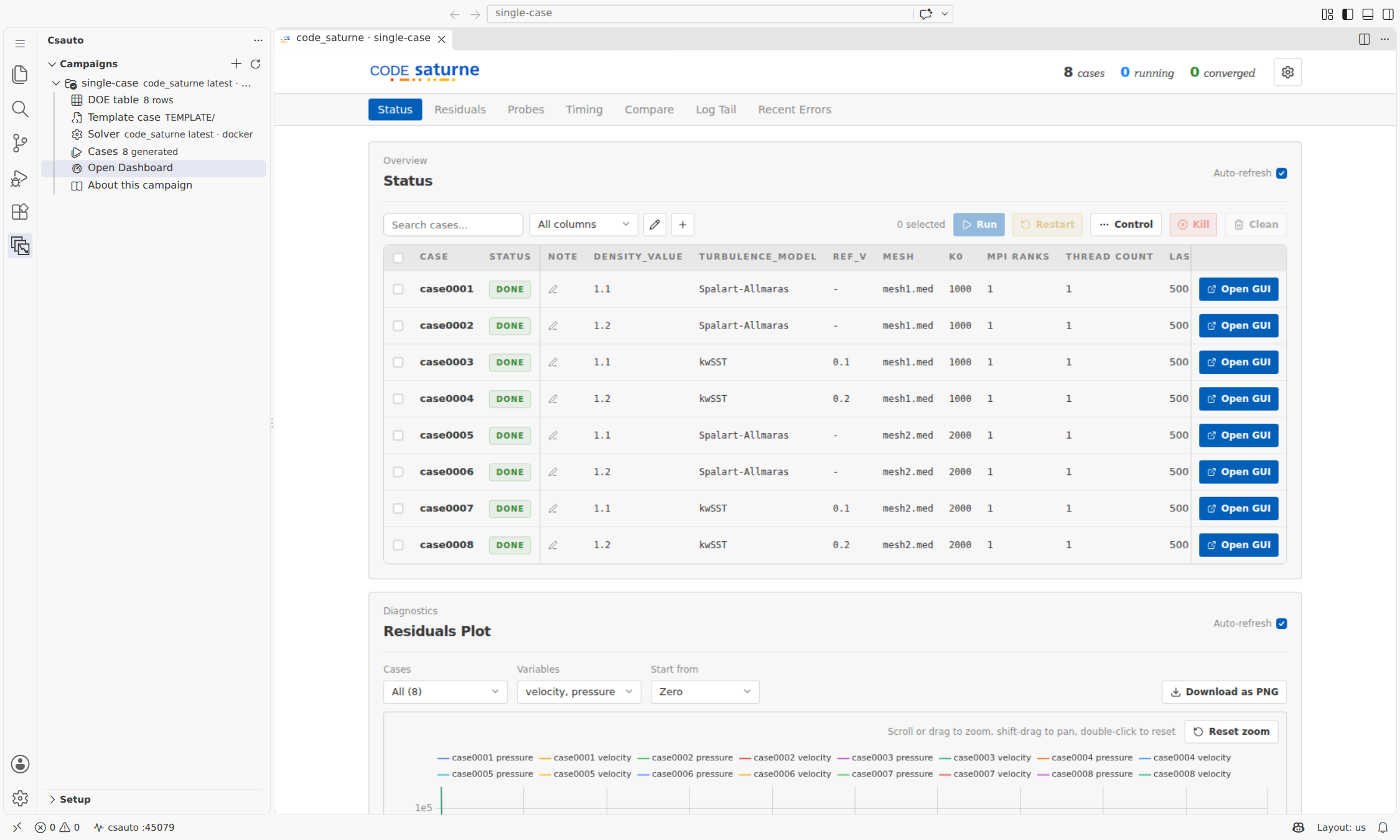
From an empty folder to running cases in three steps
- Step 1
Create
New Campaign walks you through it: pick a solver, start from its ready-to-run example or from your own files, fill the parameter table, choose the runtime and the solver version.
- Step 2
Run
csauto generates one case per row, then runs them natively, in Docker, with Singularity or on Slurm. Local runs are throttled to what your machine can take.
- Step 3
Follow
The dashboard opens in an editor tab and tells you when cases finish or fail. Restart from a checkpoint or steer a running case from the same place.
Everything happens in your editor
New Campaign wizard
One page for the solver, the starting point, one file picker per solver input and the parameter table written to doe.csv. A case folder is checked as soon as you pick it.
Dashboard in the editor
Embedded in a webview that follows your editor theme. Works over Remote-SSH on HPC clusters and in WSL through automatic port forwarding.
Several campaigns at once
The Campaigns view lists each campaign with its solver version and a Dashboard button. Each one gets its own server and its own tab, side by side.
Run notifications
Get notified when cases finish or fail, even when the dashboard tab is in the background.
Managed runtime
The extension creates a private Python environment and installs a version-matched csauto. No manual install, no conflict with your own packages.
Solver versions on tap
Pick an installed Docker image, any tag from Docker Hub (downloaded on the spot), a native executable or a .sif image, per campaign.
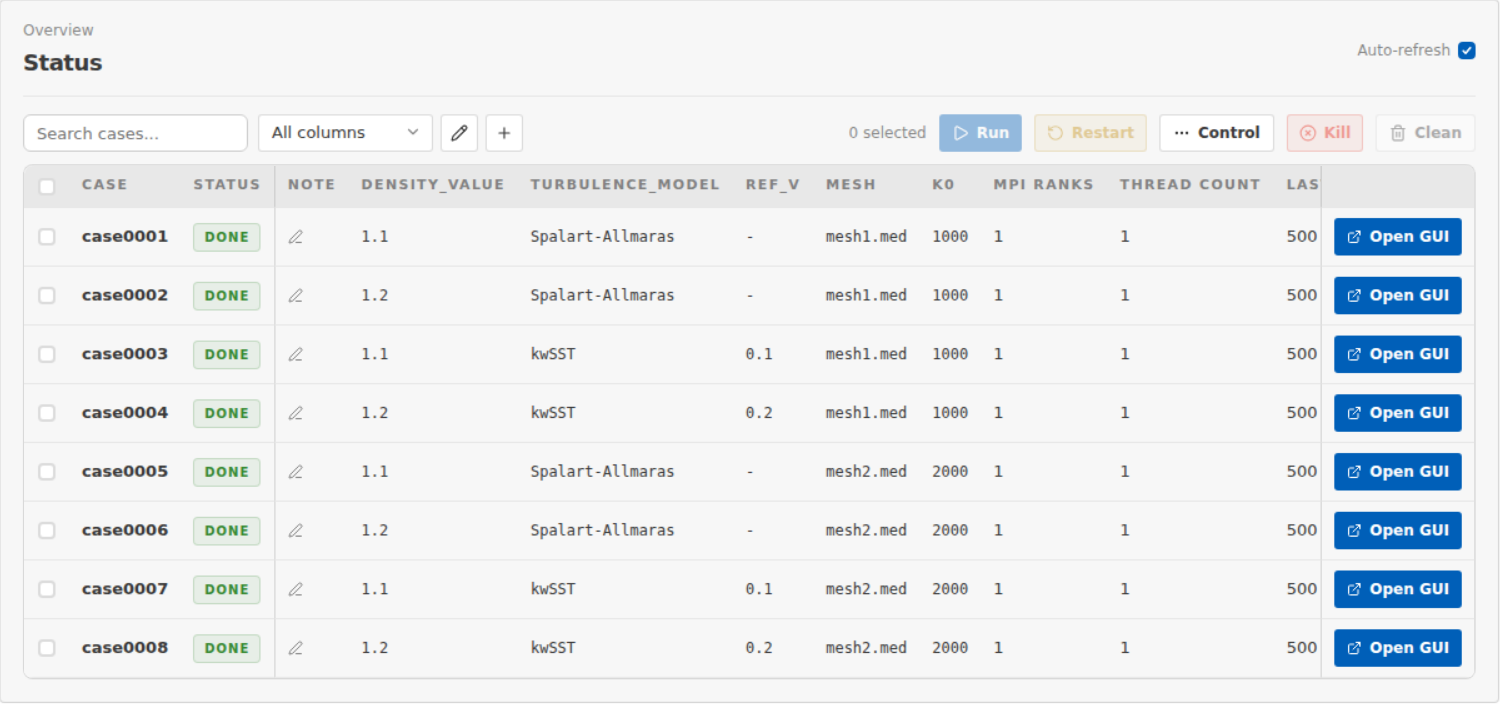
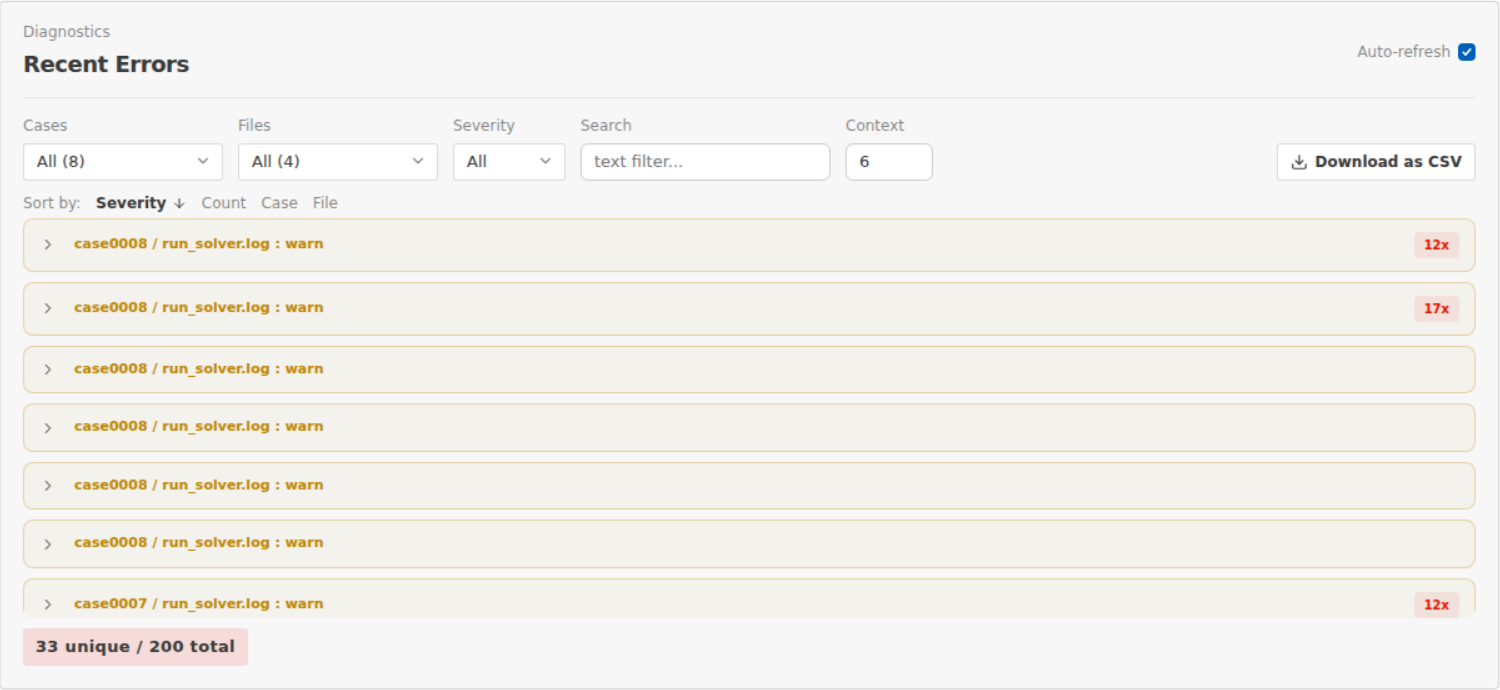
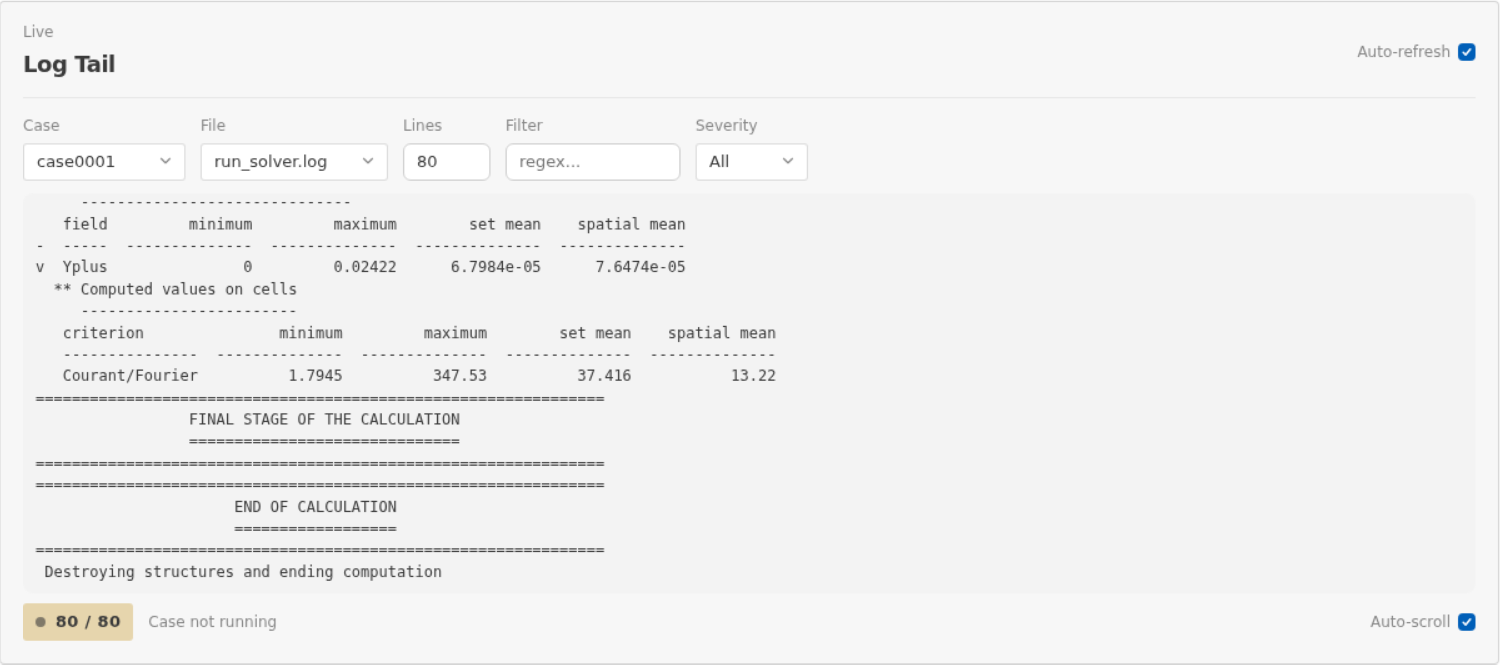
Follow every case from one dashboard
More for code_saturne campaigns
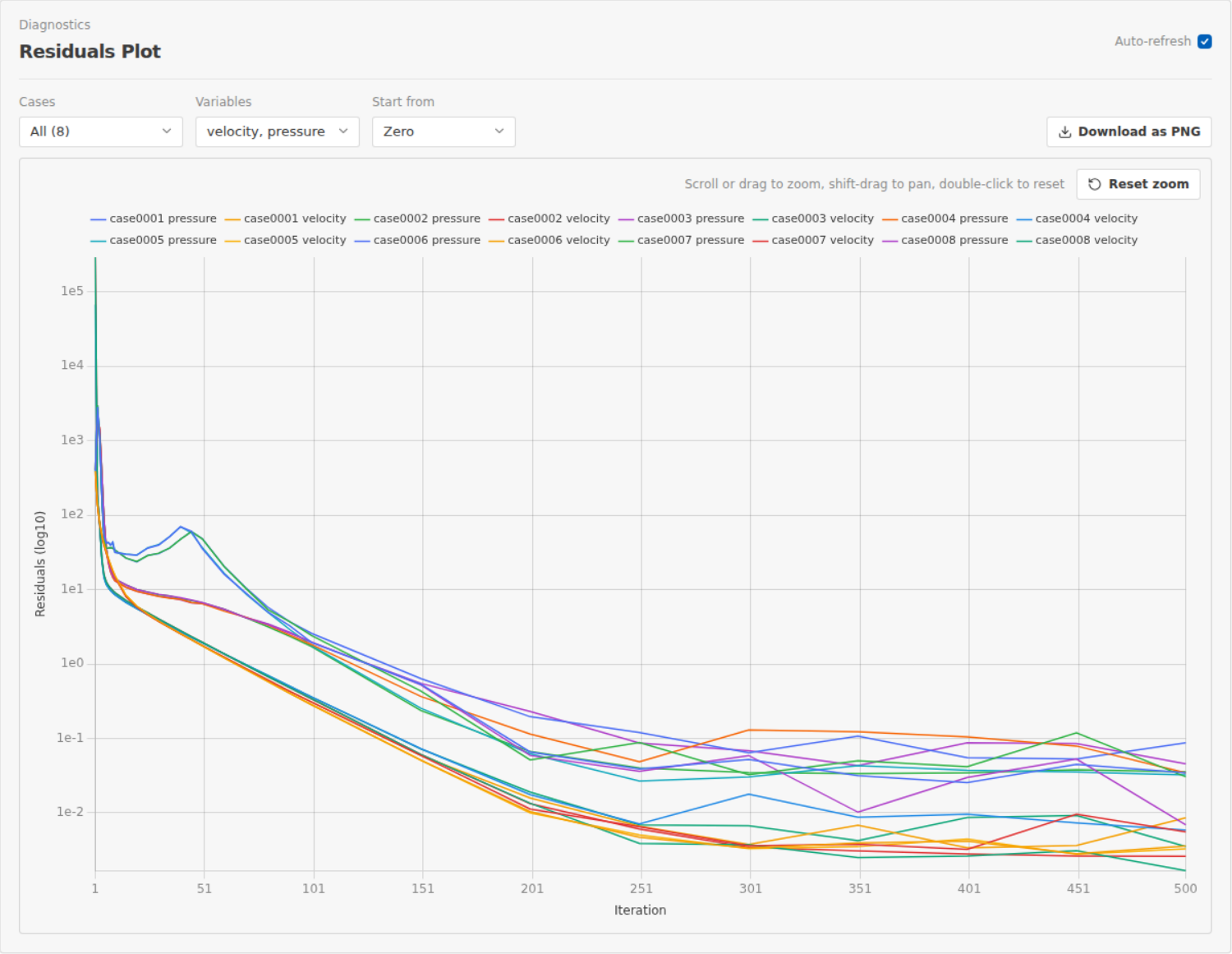
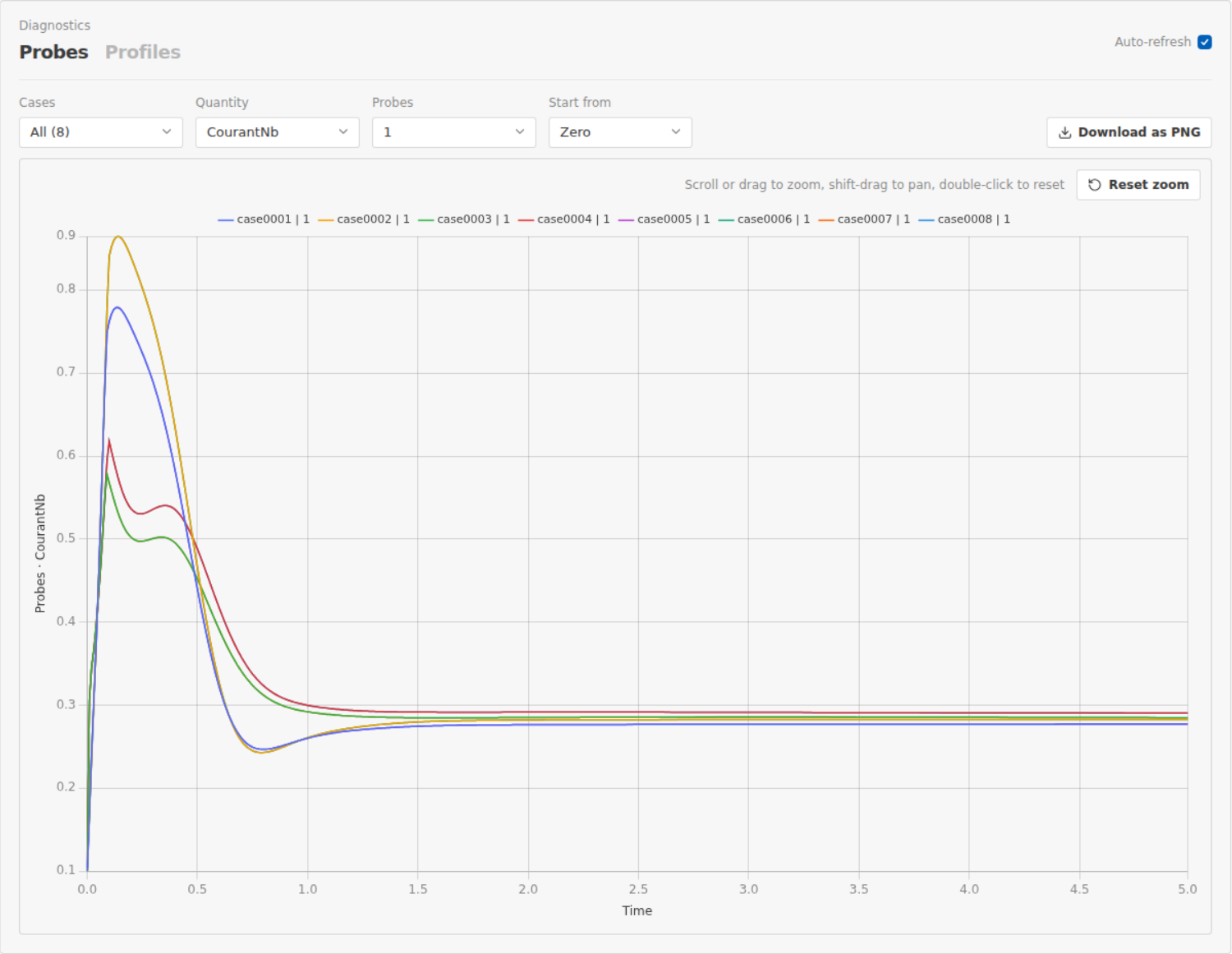
For code_saturne, the dashboard also reads the solver's own outputs, and can steer a case while it runs.
Timing snapshot
Elapsed time, linear solver and gradient time per case, from the solver logs.
Checkpoint and restart
Restart any case from its last checkpoint with one click.
Live control
Stop gracefully, extend the run or write a checkpoint while a case is running.
Two solvers, each one an adapter

General-purpose open-source CFD solver developed by EDF R&D. Campaigns get the full dashboard: residuals, probes, timings, checkpoint restart and live steering on top of status, logs and comparison.
code-saturne.org
Open-source finite-element solver for structural and thermal mechanics. Campaigns run from an export file, with status tracking, live logs, error detection and comparison.
code-aster.orgAnother solver is one adapter class that the CLI and the dashboard read everything from. Read the guide.
The engine behind the dashboard
Parameter study generator
Write doe.csv by hand or generate it from a TOML spec: factorial, Latin Hypercube, Sobol or central composite sampling.
Templates with placeholders
One template case with {placeholders} and conditionals becomes as many fully resolved cases as there are rows.
Local, Docker, Singularity, Slurm
Runtime auto-detection, a built-in Slurm submission and status tracking through squeue.
Compare and clean up
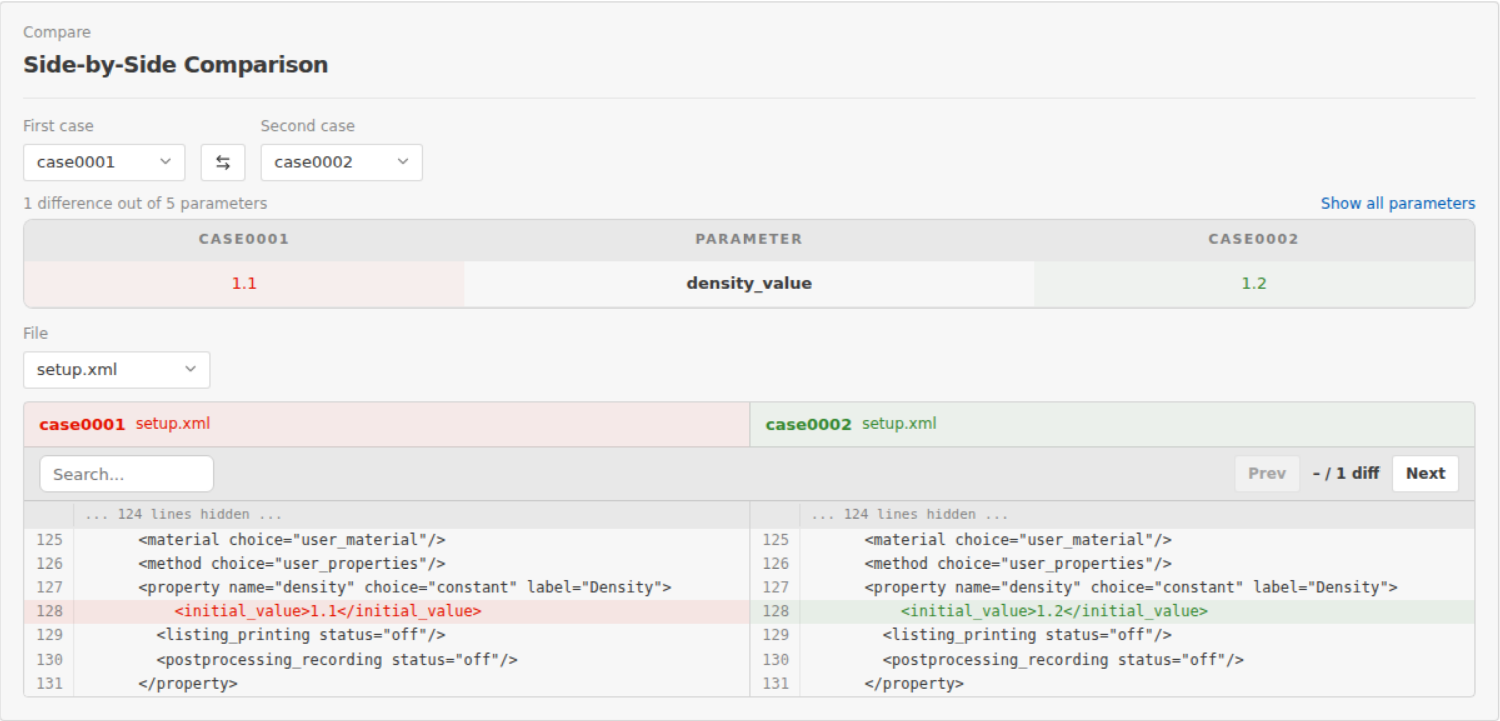
Compare the inputs of any two cases, keep notes per case, and clean results or whole cases from the dashboard.
A real CLI
Everything the extension does is a command, for CI, scripts and machines without VS Code.
Light by design
The core CLI is pure Python standard library. The dashboard only adds FastAPI and uvicorn.
Install csauto
VS Code extension
Install it from the Marketplace, then click the csauto icon in the activity bar and choose New Campaign…. It works the same over Remote-SSH and in WSL.
Install from the MarketplaceOr from a terminal:
code --install-extension simvia.csauto
Needs Python 3.11+ on the machine. Windows through WSL. For an offline machine, download a .vsix from the releases page.
CLI and browser dashboard
One line installs the latest release with its own virtual environment and a shell alias:
bash -c "$(curl -fsSL https://raw.githubusercontent.com/simvia-tech/csauto/main/install.sh)"
Then, from a folder with your parameter table and template:
csauto prepare doe.csv TEMPLATE RUNS
csauto doctor RUNS
csauto serve RUNS
Frequently asked questions
What is csauto?
An open-source tool (VS Code extension plus Python CLI) that automates simulation campaigns for code_saturne and code_aster. It generates cases from a parameter table and a template, runs them locally or on Slurm, and follows residuals, probes, errors and timings in a dashboard.
Do I need VS Code?
No. The extension is the primary interface and embeds the dashboard in the editor, also over Remote-SSH on HPC clusters. On machines without VS Code, the same dashboard runs in your browser with csauto serve, and every step is available from the CLI.
Which solvers are supported?
code_saturne and code_aster. Each solver is one adapter class that the CLI and the dashboard read everything solver-specific from, so adding another is a contained job (see the guide in the docs).
Where do my simulations run?
On your machine with the native solver, a Docker image or a Singularity/Apptainer image, or on a cluster through Slurm (sbatch, squeue). Local runs are capped to what the machine can take, and you can set the maximum number of parallel cases.
Can I stop or extend a running case?
For code_saturne, yes: stop gracefully, extend the run or write a checkpoint while it runs, then restart any case from its last checkpoint. No kill, no start from scratch.
What do I need installed?
The extension manages its own Python environment, so you need Python 3.11+ on the machine and a solver runtime (native binary, Docker or Singularity). The core CLI uses only the Python standard library; the dashboard adds FastAPI and uvicorn.